Getting Started
We’re excited to welcome you to
The Swain Studio!
To get started with lessons with one of our instructors, our process is straight-forward and can either be self-led or assisted.
Review Studio Policies
We aim to make lessons as simple as possible with as much transparency as possible. Click here to review our full studio policies. (Note: You will also receive a physical copy of these at your first lesson.)
Check Instructor Bios
Each instructor at the studio has varied specialties, education, and requirements for study. Take time to review each instructor’s bio to learn more about them prior to scheduling an assessment lesson.
Schedule an Assessment
Once you’ve reviewed our policies and learned more about our instructors, it’s time to schedule and attend your initial assessment lesson!
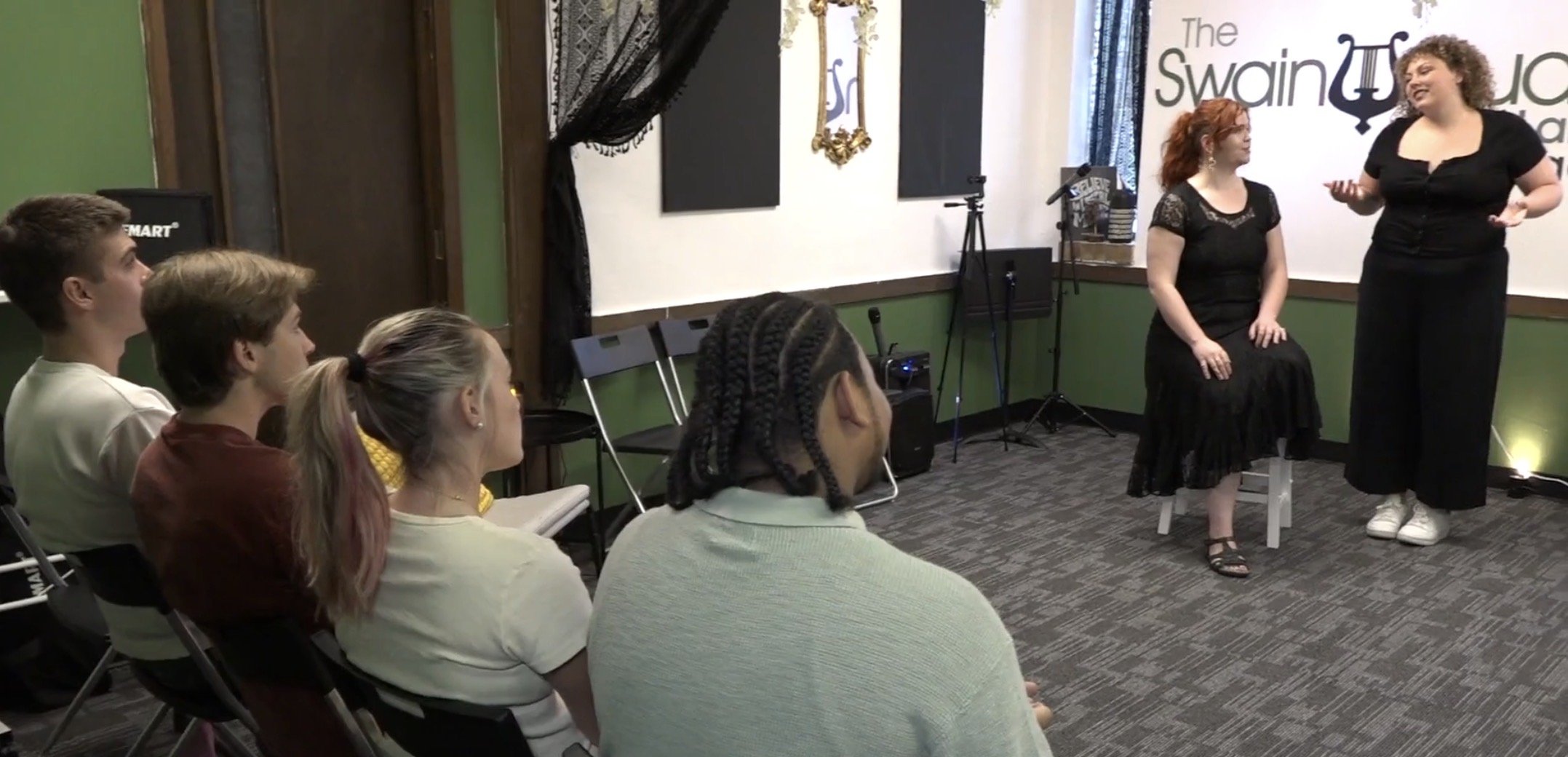

Students of The Swain Studio primarily enroll in weekly lessons via a Lesson Subscription.
You can think of your lesson subscription as a membership that automatically renews on the first of each month and affords you one weekly lesson with your instructor. In addition to lessons, subscriptions come with a few extra perks:
Open Practice Hours (Saturdays & Sundays)
Bi-Annual Studio Recitals (Winter & Summer)
Monthly Free Studio Performance Practice Classes
Quarterly Workshops & Masterclasses
Lesson Subscriptions

Subscription Pricing
Pricing is based on a tiered scale commensurate with instructor teaching experience, degrees earned, professional titles held (academic, K12), certifications, and specialization. Instructors receive the vast majority of lesson tuition paid to the studio each month.
For early beginners to intermediate-level students, we recommend booking with an Assistant or Associate Instructor. Advanced students should consider booking with an Associate or Master Instructor.
For those newer to private lessons, we generally recommend 30-minute lessons. Teens, adults, and intermediate to advanced students should consider 45 to 60-minute weekly lessons.
Need help deciding? Reach out and we’ll be happy to make a recommendation based on your previous experience!
Master Instructors
$195/mo - $390/mo
Associate Instructors
$170/mo - $340/mo
Assistant Instructors
$150/mo - $300/mo
30, 45, & 60-Minute Weekly Lesson Subscriptions Available
Lesson tuition is paid month-to-month on the first of each month. In the instance of enrolling in lessons after the first, billing is prorated for the remainder of the month. Repeated late payments may result in a student being dismissed from the studio.
There is a one-time registration fee of $35 at the start of lessons per student. Re-registration fees do not apply for students returning within six months of unenrolling for any reason.
When it’s time to withdraw from lessons, we require for an advanced notice of two weeks. We don’t believe in locking students into longterm commitments. Email the studio at lessons@theswainstudio.com to give your two-week notice.
In the event that an instructor needs to miss a lesson for any reason, a service credit will be applied to the student account. Service credits rollover automatically into the next tuition period and do not expire until a student withdraws from lessons.
If a student must miss a lesson for any reason, a service credit will be issued to the student’s account if the cancellation takes place with 24 hours notice.
Service credits do not expire until you end your lesson subscription. It is up to the student to coordinate a make-up lesson with their instructor based on mutual availability as listed in the scheduling system.
Lessons canceled with less than 24 hours notice are forfeited, are not eligible for a service credit, and will not be refunded. All lesson cancellations and rescheduled lessons must be completed online in the scheduling website.
We do not offer refunds for missed or unused lessons.
Students under the age of 16 must be accompanied by an adult within the facility at all times. No minors may be left unattended within the commons areas of the studio under any circumstances.
A copy of our full studio policies document is given to all new students at the time of your initial Assessment Lesson. You may also view all studio policies by visiting this page.
An Overview
Studio Policies

Meet Our Instructional Faculty


Justin T. Swain, M.M., M.A., PAVA-RV
Owner & Master Instructor of Voice


Alexa Baker, M.M.
Associate Instructor of Voice
Renée Holzmeier, B.M.
Associate Instructor of Voice
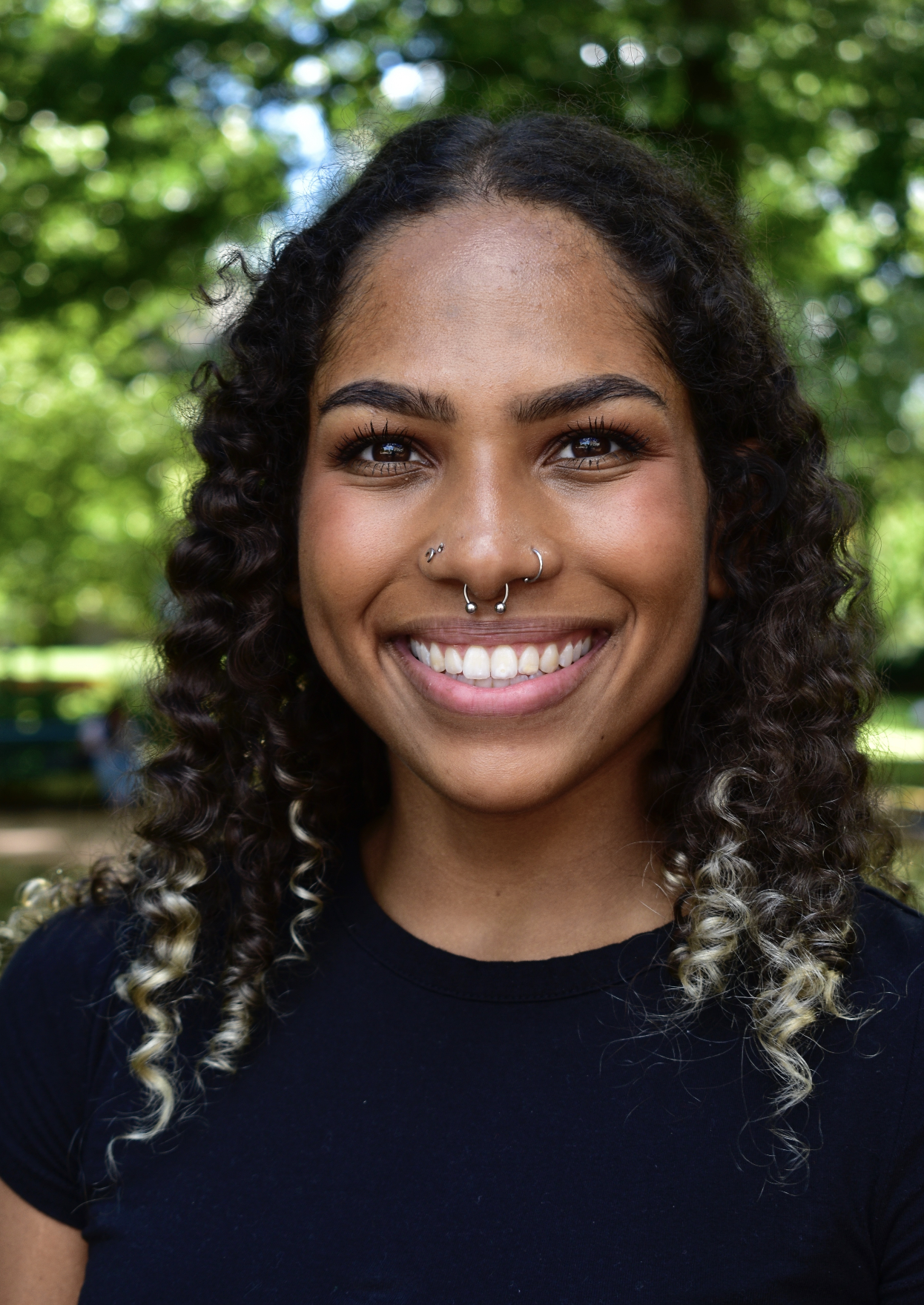
Eve Julien, M.M.
Associate Instructor of Voice

Geoffrey Gear, M.M.
Associate Instructor of Voice

Matthew Mac Manus, M.M.
Associate Instructor of Voice
Scheduling Lessons
Self-Service (Weekly Lessons)
Once you’ve had the opportunity to review each instructor’s bio, you are able to self-schedule an assessment lesson. Only slots that are available for weekly lessons are displayed.
Note: Payment is due for the assessment lesson at the time of scheduling.
After you’ve scheduled your assessment lesson, you will receive a confirmation email from our scheduling software (Opus1) and a studio manager will reach out to connect you directly with your instructor prior to your assessment lesson.
Once your assessment lesson is complete, we will follow-up with you within 12-24 hours to see how your lesson went, answer any questions you may have, and confirm your weekly lessons with the instructor you’ve selected.
Assisted Scheduling (Weekly Lessons & Drop-Ins)
Perhaps the instructor you’d like to work with has no listed availability, or, you’d like a recommendation for which instructor may be best suited to your learning style, goals, and unique background. We’d be delighted to help guide you along your selection and scheduling process!
Fill out our lesson inquiry form and a studio manager will reach out within 12-24 hours to answer any questions you have, schedule a consultation call/visit, or help you select an instructor suited to your needs.
Self-Service (Drop-In Lessons)
If you’re not ready to commit to weekly lessons or you have an unpredictable schedule, drop-in lessons may be a viable solution for you.
It is generally recommended to schedule an assessment lesson with an instructor first to get a sense of their teaching style, but isn’t entirely necessary — especially if you’re someone who already has a background in music or you’re simply preparing for an upcoming audition or performance.
To book a drop-in lesson with an instructor, visit the following web page to self-book with a member of our teaching faculty.
Frequently Asked Questions
How do I sign into my account?
The Swain Studio uses Opus1 for scheduling lessons, tuition payments, and more. Once you schedule an Assessment or Drop-In Lesson, you will automatically have an Opus1 account created. Be sure to check your spam/bulk mail folder in case your login access email was accidentally sorted there.
To login to your Opus1 Account, visit https://login.theswainstudio.com
How do I cancel a lesson?
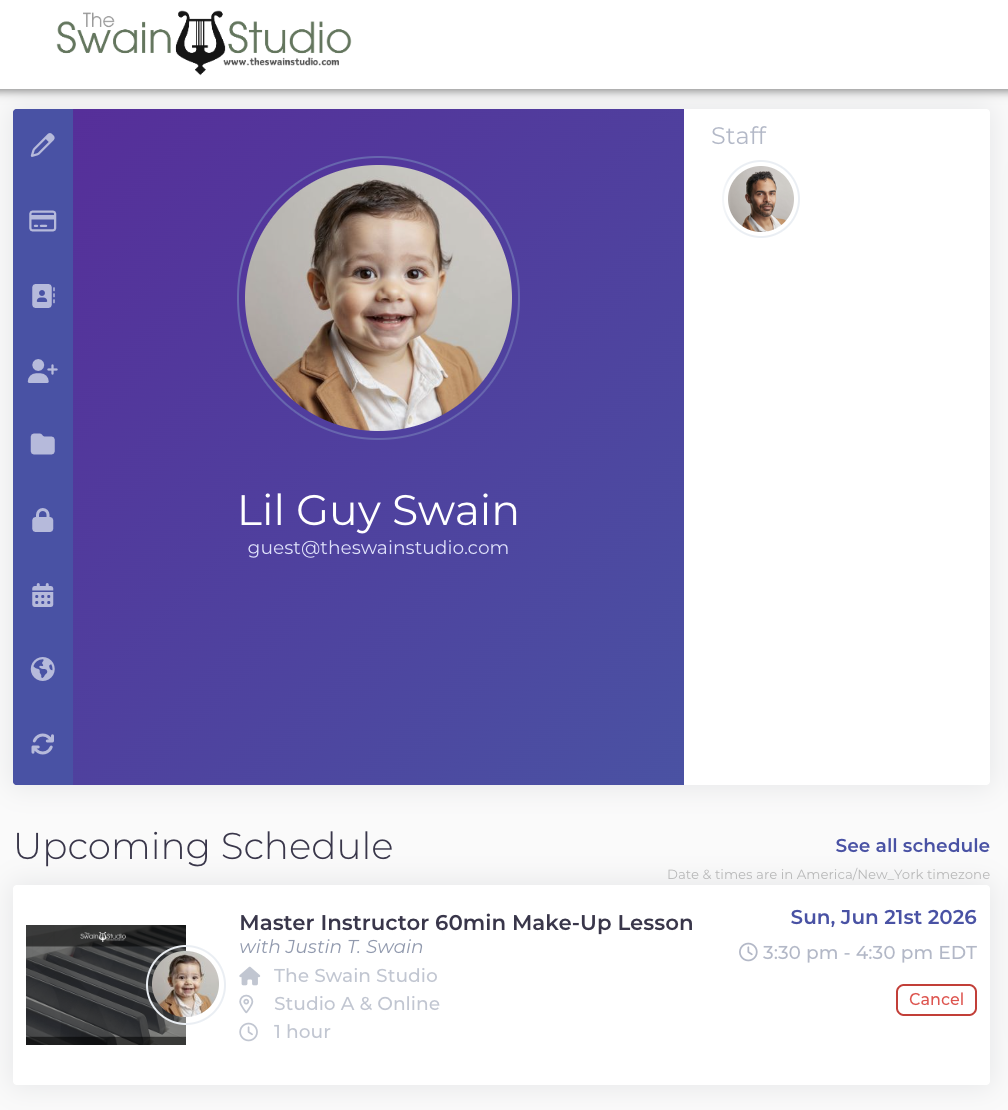
From your Opus1 Account dashboard, scroll down to the lesson you would like to cancel. If you are canceling your lesson with at least 24 hours notice, you will receive a Service Credit (Opus1’s term for “Make Up Credit”) which can be used to schedule a make-up lesson. If you cancel your lesson with less than 24 hours notice, you will not receive a Service Credit and forfeit that lesson.
Note: While you are able to cancel lessons far in the future, you are not able to use service credits for lessons that have not yet been paid for.
For example, if the current month is June and you are attempting to cancel a lesson in July to reschedule it during the month of June, and your July tuition has not yet been paid, you will not be able to schedule a make-up lesson with the service credit for the July lesson until you pay for your July tuition.
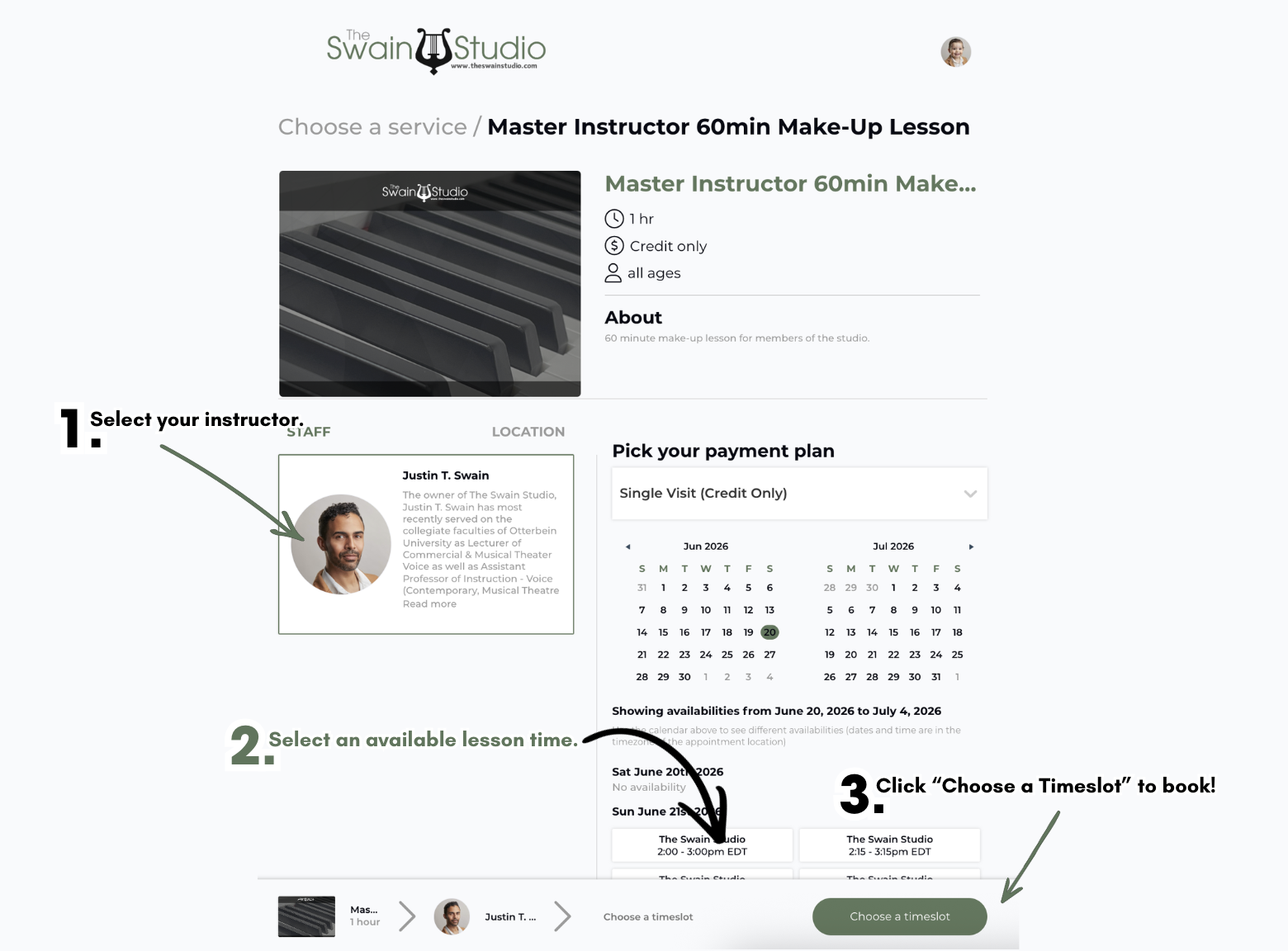
How do I schedule a make-up lesson?
As long as you have a service credit available on your account and the instructor you are attempting to schedule a make-up lesson with has availability in their schedule, you are able to self-book make-up lessons.
To do so, sign into your Opus1 Account and scroll down to where your Service Credits are displayed. From there, select the service credit you would like to use and click the “Use” button.
You’ll then be brought to a service selection screen. Choose your instructor by clicking on their info card, choose an available time in their schedule, and then click, “Choose a Payment.”
Fill out the information on the booking screen and hit submit. You’ll receive a confirmation email once you complete the booking process and your instructor will also be notified.
Note: Make-up lessons can be scheduled up to two weeks from the current date.
Need assistance? Feel free to email us for support!